Guide · The font
The Saudi Riyal
Symbol Font.
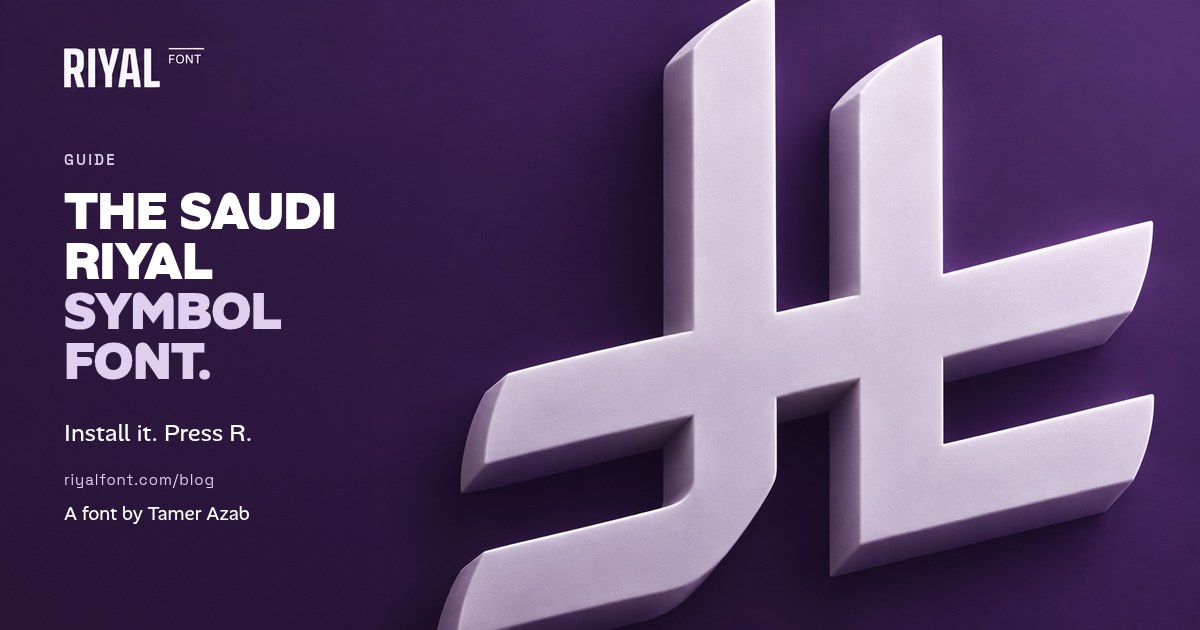
If you keep pasting the new Riyal symbol into your designs as a picture, a font fixes that. Install it once, press R, and the symbol behaves like text in every app you use.
Riyal symbol font or PNG: which should you use?
SAMA publishes the official symbol artwork, and an SVG or PNG is fine for a logo or a one-off poster. As soon as you're writing prices, though, an image gets in the way:
- A font scales cleanly. The symbol stays sharp at 9pt on a receipt and at 900pt on a banner.
- It takes your colour. Change the text colour and the symbol changes with it.
- It sits on the line. It lines up with your numbers, so you don't have to nudge every price.
- It's quick. A menu with 60 prices takes 60 key presses, not 60 pasted images.
Riyal Font puts the symbol on the R key. It also covers the official Unicode code, U+20C1, so a symbol typed with a code turns into the right shape when you apply the font.
How to install the Saudi Riyal symbol font
- Get the files. Buy Riyal Font (10 riyals, one-time) and unzip it. Inside you'll find
RiyalSymbol-Regular.otf,.ttfand.woff. - Mac: double-click the OTF file and click Install Font. It appears as Riyal Symbol.
- Windows: right-click the TTF file and choose Install, or Install for all users on a shared PC.
- Restart your apps. Word, Excel, Canva's desktop app and Figma only pick up new fonts after a restart.
How to use the Riyal symbol font in Word and Excel
- Type R where the symbol should go, followed by a space and the amount.
- Select only the R and choose Riyal Symbol as the font. Leave the numbers in your usual font: 250
- Excel tip: put the symbol in its own column and set that column's font to Riyal Symbol. Your numbers stay as real numbers, so your sums still work.
- Sharing the file? Export a PDF so the symbol shows up on any device. In Word for Windows you can also turn on File → Options → Save → Embed fonts in the file.
How to add the Riyal symbol in Canva
Canva lets you upload fonts to a Brand Kit on Canva Pro, Teams and some other plans, and accepts OTF, TTF and WOFF files.
- Upload: open Brand → Brand fonts → Upload a font and pick
RiyalSymbol-Regular.otf. - Type: in a text box, type
R 99. - Apply: select just the R and choose Riyal Symbol. The price keeps your brand font and colour.
On Canva's free plan you can't upload fonts. Use SAMA's SVG artwork instead and size it to the height of your numbers.
The Riyal symbol in Figma, Photoshop and Illustrator
Once the font is installed, the Figma desktop app lists it straight away. In the browser, Figma needs its font installer. In Photoshop or Illustrator, type R, select it and pick Riyal Symbol. The symbol stays vector, so you can outline it for signage if your printer asks.
How to match the Riyal symbol to your numbers
SAMA's guidance for type designers asks for the symbol to sit in harmony with the numerals: the top of the Lam lines up with the top of Latin numerals, and the stroke weight can be adjusted to suit the typeface. In practice, that means:
- Same height as the digits, not the height of the capital letters around them.
- To the left of the amount, with a space, in Arabic and in English.
- Same colour as the price. No outlines, shadows or stretching.
Using the Riyal symbol font on your website
The WOFF file in the download is for websites. Hand it to whoever builds your site, along with the short note in the included README. The font only touches the symbol, so the rest of your typography stays the same.
Quick checklist before you print
- Is the symbol really the font, not a pasted picture? Click it: you should see a text cursor.
- Is it on the left of every amount, with a space?
- Does it match the height and colour of the digits?
- Did you export a PDF for the printer, or embed the font in the Word file?
Do you still need it once phones catch up?
The symbol has been in Unicode since version 17.0 (September 2025), and devices are gradually adding it to their system fonts. When yours does, typing U+20C1 in a message will just work. A font still matters wherever you design: Canva templates, print files, older office PCs, and anywhere you want the symbol to match your own typeface.
Keep reading: How to type the new Saudi Riyal symbol in Word, Excel and iPhone. Pricing in UAE dirhams too? Using the UAE Dirham symbol in Canva and Instagram.
Questions people ask
What is the name of the Saudi Riyal symbol font after installing?
It appears as “Riyal Symbol” in your font menus. Type R or r in that font to get the symbol.
Does Riyal Font work with the Unicode code U+20C1?
Yes. The font maps the symbol to U+20C1 as well as to R and r, so a symbol typed with Alt+X in Word displays correctly when you apply the font.
Can I use it in Canva?
Yes, on Canva plans that allow Brand Kit font uploads, such as Pro or Teams. Upload the OTF, TTF or WOFF file and select it for the R.
Can I use it for commercial work?
Yes. One purchase covers personal and commercial projects. Sharing or reselling the font files isn’t allowed.
Sources
- SAMA: Saudi Riyal Symbol guideline page
- SAMA: Saudi Riyal Symbol — Font Designers Guidelines (PDF, as hosted on riyalfont.com)
- SAMA: Saudi Riyal Symbol FAQs
- Unicode Blog: Unicode 17.0 release announcement (September 2025)
- Canva Help: Upload and use Brand Kit fonts
- Figma Learn: Add a font to Figma
- Microsoft Support: Insert ASCII or Unicode character codes in Word