Guide · Typing the symbol
How to Type the New
Saudi Riyal Symbol.
The new Saudi Riyal symbol has been in Unicode since 2025, but there is still no key for it on most keyboards. Here is how to type it on every device you use, step by step.
Short answer
The new symbol's Unicode code is U+20C1.
- Word on Windows: type
20C1and press Alt+X. - Excel:
=UNICHAR(8385). - If you see a box, your font doesn't include the symbol. Select it and apply a font that does, like Riyal Font, or just type R in that font.
What is the new Saudi Riyal symbol?
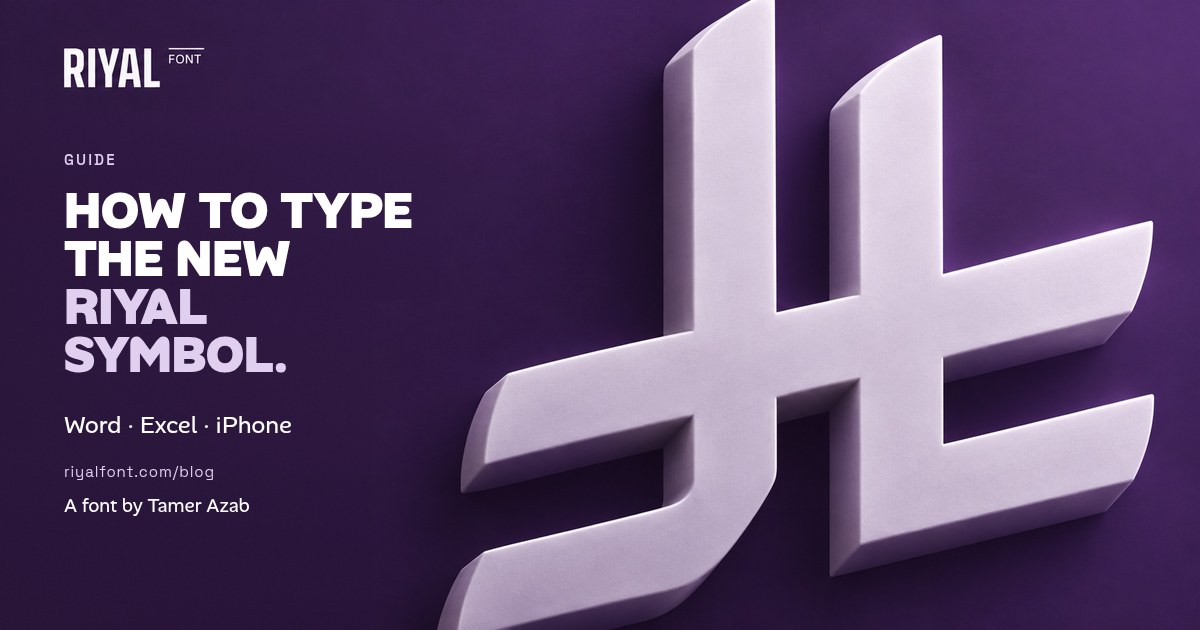
On 20 February 2025, King Salman approved the new Saudi Riyal symbol, announced by the Saudi Central Bank (SAMA). It writes the word “Riyal” (ريال) in a shape drawn from Arabic calligraphy, and it is meant for financial and commercial use.
Unicode added it in version 17.0, released on 9 September 2025, as U+20C1 SAUDI RIYAL SIGN. That code lets phones, computers and apps treat the symbol as text instead of an image.
The new Riyal symbol vs the old ﷼ sign
Many keyboards and fonts already have an older character, ﷼ (U+FDFC, “RIAL SIGN”). It is a ligature of the Arabic word and it is not the new symbol. If you copy a riyal sign from a random website, check which one you got. The new one is U+20C1.
How to type the Riyal symbol in Word and Excel (Windows)
- Word: type
20C1exactly where you want the symbol, then press Alt+X. Word turns the code into the character. Press Alt+X again to undo it. - Excel: type
=UNICHAR(8385)in a cell. 8385 is 20C1 written as a regular number. You can join it to a price:=UNICHAR(8385)&" "&A2. - Other apps: Alt+X is a Word feature and doesn't work in browsers or most other apps. Copy the symbol instead:
Still a box? Many Windows fonts don't include the new symbol yet. Select the box and change its font to one that does. With Riyal Font installed, choose Riyal Symbol, and the box becomes the symbol, because the font covers both U+20C1 and the R key.
How to type the Riyal symbol on Mac
- Add the Unicode keyboard. Open System Settings → Keyboard → Text Input → Edit, click + and add Unicode Hex Input.
- Type the code. Switch to it from the menu bar, hold Option and type
20C1. - Or use the Character Viewer. Press Ctrl+Cmd+Space and search for “Saudi riyal”.
How to type the Riyal symbol on iPhone and Android
Recent phone updates have started to include the new symbol in their fonts, but there is still no dedicated key for it. The quickest fix is a text shortcut:
- Copy the symbol with the button above.
- On iPhone, go to Settings → General → Keyboard → Text Replacement and tap +. Paste the symbol as the phrase and type a shortcut such as
rsl. - On Android, Gboard offers the same thing under Settings → Dictionary → Personal dictionary.
- Type your shortcut in WhatsApp or anywhere else, and the symbol appears as a suggestion.
If the symbol shows as a box on your phone, or on the phone of the person you send it to, that phone's fonts don't include it yet. For Instagram posts and stories, put the price inside the image instead.
Does the Riyal symbol go before or after the number?
According to SAMA's guidance, the symbol goes to the left of the number, with a space, in Arabic and in English. It should be the same height as the text around it.
Common Riyal symbol mistakes to avoid
- Using the old ﷼ sign. It looks “Arabic enough”, but it is a different character. Readers and search engines won't treat it as the new symbol.
- Putting the symbol on the right in Arabic text. Even in a right-to-left sentence, the symbol stays on the left of the amount.
- Pasting a picture into Word. It looks blurry when printed and breaks every time the line reflows. Use the code or a font instead.
- Making it bigger than the numbers. The symbol should match the height of the digits next to it.
When will the new Riyal symbol show on every device?
Unicode publishes the code, but each company updates its own fonts on its own schedule. When the symbol was first proposed, the Unicode Consortium warned that this could take months or even years. Currency formats are moving slowly too. Unicode's locale data, which many apps use to format prices, first added the new symbol as an alternative to the older “SAR” and “ر.س” forms rather than as the default.
That is why, for price lists, menus, invoices and designs, a font that actually contains the symbol is still the dependable option. Our guide to the Saudi Riyal symbol font shows how to install it and use it in Canva, Word and Figma.
Keep reading: How to install and use the Saudi Riyal symbol font. Pricing in UAE dirhams too? How to type the new UAE Dirham symbol in Word, Excel and Mac.
Questions people ask
What is the Unicode code for the new Saudi Riyal symbol?
U+20C1 (SAUDI RIYAL SIGN), added in Unicode 17.0 in September 2025. In HTML you can write .
Is there an Alt code for the Riyal symbol?
No. Classic Alt codes don’t cover it. In Word, type 20C1 and press Alt+X. Elsewhere, copy and paste it or use a font such as Riyal Font, where you type R.
Why does the Riyal symbol show as a box?
The font you’re using doesn’t include U+20C1 yet. Change the font to one that includes it, or update your device.
Is ﷼ the new Riyal symbol?
No. ﷼ (U+FDFC) is an older Arabic ligature. The new symbol approved in February 2025 is U+20C1.
Sources
- Saudi Press Agency: “Custodian of the Two Holy Mosques Approves Saudi Riyal Symbol” (20 February 2025)
- SAMA announcement via Business Wire (20 February 2025)
- Unicode Blog: Unicode 17.0 release announcement (September 2025)
- Unicode: release dates (Unicode 17.0.0 — 9 September 2025)
- Unicode Blog: Support for the New Saudi Riyal Currency Symbol (March 2025)
- SAMA: Saudi Riyal Symbol FAQs
- Microsoft Support: Insert ASCII or Unicode character codes in Word
- Apple Support: Change Input Sources settings on Mac